Vista Cloud | Operational Excellence | Webpage Banner Header label

Serve

High-value in-seat guest experiences that drive revenue – powered by better service.

Serve is an in-seat and table service dining solution for premium cinema experiences. It enables staff to take orders, manage checks, and process payments from supported mobile devices, delivering restaurant-style food and beverage service directly to guest seats. Serve helps operators provide efficient, personalised hospitality while maintaining service quality throughout every session.

Serve app showing open checks by section, with six $13 checks and an option to add a new check.
Serve POS device showing table selection screen with numbered table buttons in a grid layout
Serve POS device displaying seat map with grid of numbered seats, highlighted selections in green
Serve POS device screen showing item details for vegan lasagne with price, loyalty discount, and action buttons
Serve POS showing guest order with selected items and controls to send the order to the kitchen
Serve POS screen showing a guest loyalty profile, available rewards and food and drink favourites.
Serve screen for selecting checks, with food items grouped across three checks.
Serve app showing two queued actions with loading indicators and a Retry all button.
Serve app prompting the user to choose a payment method, with Cash and Card options.
Serve app showing tip options, gratuity, payment totals and a Continue button.
Serve POS displaying personal or business tax information fields and a Skip option.


  • Deliver faster, effortless service at every seat. Empower your staff to take orders directly at the seat, using intuitive seat maps and rich item detail to capture every request accurately. Support detailed item selections, modifiers, and guest-level orders while keeping service coordinated, reducing staff movement and serving more guests per session.
  • Increase the value of every order. Turn every interaction into a personalised high-value moment by surfacing add-ons, upgrades, and promotions during order-taking. Recognise loyalty members automatically and apply benefits in real time, making it easy to reward, retain, and increase spend across every interaction.  
  • Keep your kitchen and service teams in sync. Effortlessly route orders to the kitchen as they are placed with all required modifiers and instructions, facilitating consistent handoff and smooth, uninterrupted service. Reduce bottlenecks by removing reliance on fixed POS terminals and maintain service continuity with offline queuing and automatic syncing.
  • Make checkout fast, flexible, and frictionless. Close out the service experience seamlessly with support for integrated and unintegrated payment options, native tipping and Tap to Pay on iOS devices using Adyen. Giving staff the flexibility to take payment directly at the seat and keep service moving.
Serve app showing open checks by section, with six $13 checks and an option to add a new check.
Serve POS device showing table selection screen with numbered table buttons in a grid layout
Serve POS device displaying seat map with grid of numbered seats, highlighted selections in green
Serve POS device screen showing item details for vegan lasagne with price, loyalty discount, and action buttons
Serve POS screen showing a guest loyalty profile, available rewards and food and drink favourites.
Serve screen for selecting checks, with food items grouped across three checks.
Serve POS showing guest order with selected items and controls to send the order to the kitchen
Serve app showing two queued actions with loading indicators and a Retry all button.
Serve app prompting the user to choose a payment method, with Cash and Card options.
Serve app showing tip options, gratuity, payment totals and a Continue button.
Serve POS displaying personal or business tax information fields and a Skip option.

Trusted by Leading Exhibitors

award-image
award-image
award-image
award-image

Powering exceptional food and beverage experiences across
your cinema.


Built for the unique demands of cinema operations, Serve enables seamless ordering, flexible payments, efficient kitchen workflows, and reliable service delivery.
Cinema-style seats with speech bubble showing food icon, indicating in-seat ordering

Seat-based check management

Create and manage checks directly from the seat map, assign them to individual seats, use custom check names, and track seat status throughout service.

Smartphone with three adjustable sliders representing operational visibility and controls.

Operational visibility

See current and upcoming sessions from the homepage, including session progress and open checks that need attention. Staff can filter between all open checks in the venue and those assigned to them.

Two payment cards with dollar symbol, representing flexible payment options

Give groups more flexibility

Make it easier for groups to settle up their way, with the flexibility to split checks, divide shared items across checks, and take individual payments directly in Serve.

Outlined hand and cursor arrow representing hold-and-click interaction.

Hold & fire control

Control the pace of service with hold & fire, sending courses immediately, holding them back, or releasing them automatically to support the intended dining experience, with support for item delivery groups and “another round” workflows.

Mobile device with offline symbol and check icons showing orders queued without Wi‑Fi

Interrupted connectivity reliability

When the connection is interrupted, queue orders (while preserving modifiers, timing, and instructions). When reconnected, everything is sent to the kitchen.

Tablet displaying chef icon with tick, representing kitchen routing and order confirmation”

Kitchen routing with full item detail

Send orders to the kitchen with full support for modifiers, parent items, packages, and comments. Configure hold & fire timing including item delivery groups and “another round” workflows.

Learn more

Explore related Serve content, including blog articles, videos and more.

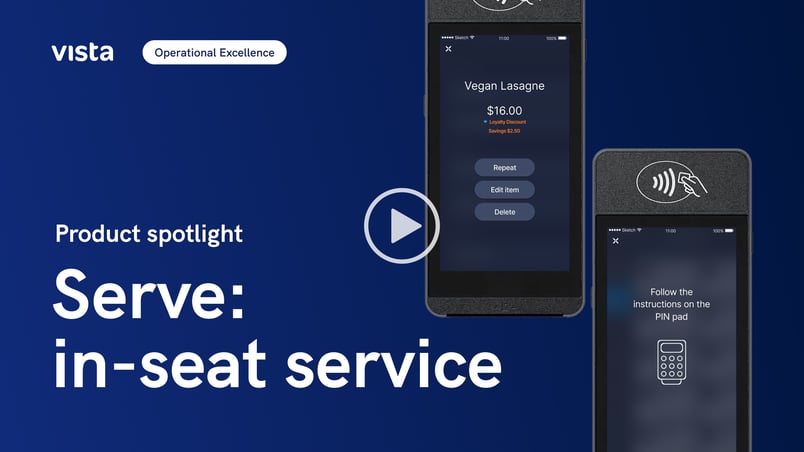
Mobile device displaying food ordering and payment screens for in-seat cinema dining with play button overlay
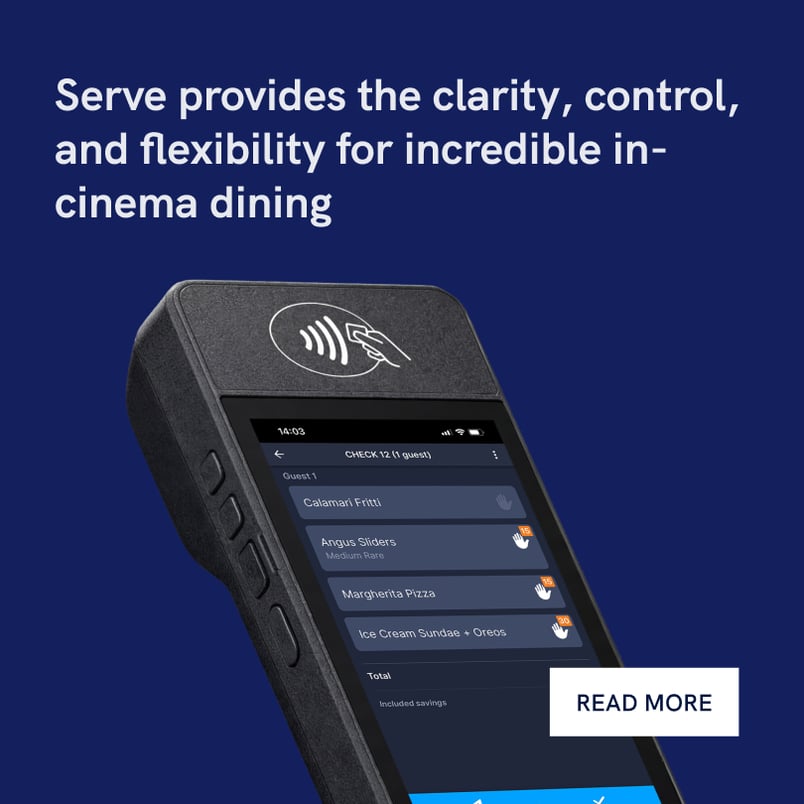
Mobile order taking device screen displaying an in‑cinema dining order under the text ‘Serve provides the clarity, control, and flexibility for incredible in‑cinema dining,’ with a ‘Read More’ button.

Availability & requirements

Serve is available through the Advanced Food & Beverage Power Up in Vista Cloud's Operational Excellence capability, and is also supported in Vista Classic. Both versions rely on Vista's Food & Beverage system. 

Serve is available on both iOS and Android devices.

Get it on Google Play
Download on the App Store

Interested in hardware options for Serve? Contact our Strategy & Partnerships team to learn about available offers and discuss your deployment requirements.

Vista works with selected hardware and payment partners to support Serve deployments.


Frequently asked questions

Related products

Rove

Mobile point-of-sale for cinemas:

  • Sell concessions anywhere
  • Issue vouchers and gift card on the go
  • Process fast mobile payments


Lumos Order

Frictionless food & beverage ordering:

  • QR code and scan-to-order experiences
  • Pickup and in-seat delivery options
  • Designed to increase concession spend

Kitchen Display Systems (KDS)

Real-time kitchen orchestration:

  • Synchronize orders from Serve
  • Coordinate meal pacing and timing
  • Optimise kitchen efficiency

See Serve in action

Discover how Serve can helps cinema teams elevate the ordering experience for every guest.